Client area
0
Subtotal 0.00
Go to cart Go to payment

Looking for Assassin's Creed Shadows Digital Deluxe Edition | Account Esclusiva | Series X/S [NO CODICE] at a discount?

👥 +40k clients ⚡ Xbox instant 🛡️ 24 months warranty

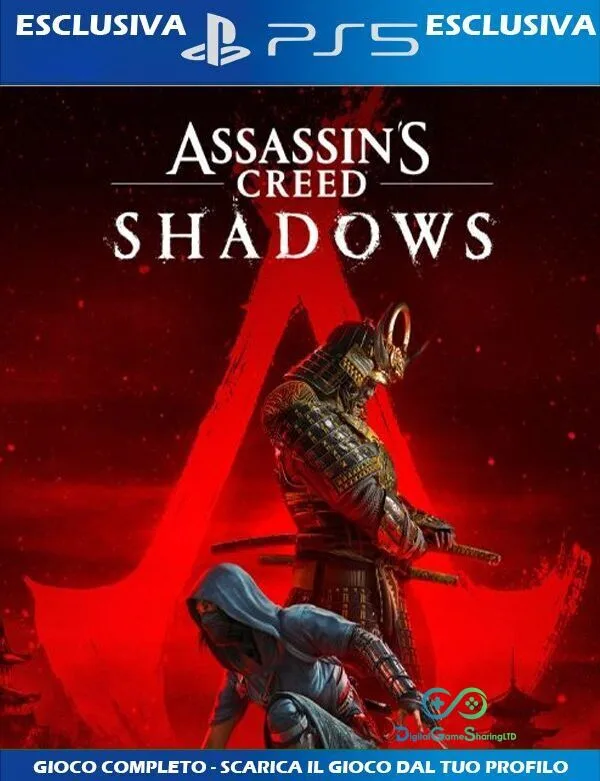
Assassin’s Creed Shadows PS5 Game Sharing – Save Up to 55%

Assassin’s Creed Shadows PS5: How to Share the Game and Save Money with Game Sharing

The launch of Assassin’s Creed Shadows has already won over fans of the series set in feudal Japan. The title promises a spectacular open-world experience on PS5, with two protagonists, Naoe and Yasuke, and unprecedented freedom of action. But the price of AAA games keeps climbing, and many players look for smart ways to keep gaming without breaking the bank. Console game sharing is the most practical answer: it lets you split the digital purchase of Assassin’s Creed Shadows and save up to 50–60% without compromising your gaming experience. In this guide, you’ll learn how the sharing system works on PS5, how to make the most of PS Plus, and why titles like Borderlands 4 only confirm how well this method works. DigitalGameSharing (DGS) simplifies the process with verified accounts and dedicated support, so you can leap straight into the shadows of Japan.

What Is PS5 Game Sharing and Why It Works for Assassin’s Creed Shadows

Game sharing on PS5 is an official feature that lets two players share a single digital library. Each user can set their own console as the primary one and authorize a second profile to access purchased games, downloadable content, and even PS Plus benefits (for online play and monthly games). This mode is perfect for titles like Assassin’s Creed Shadows, which only need to be bought once but can be enjoyed on two different devices.

When you purchase shared access through DGS, you receive a ready-to-use account: you add it to your PS5, follow the activation steps, and download the full game. Your progress, saves, and trophies remain on your personal profile. There’s no difference in the experience compared to a traditional purchase – just an immediate saving of dozens of dollars. The system is built into Sony’s policies and doesn’t violate the terms of service, as long as you avoid illegal reselling of credentials. DGS supplies only clean accounts created specifically for sharing, with full transparency on duration and usage.

Assassin’s Creed Shadows is especially well suited to game sharing because it’s a long-lived game, packed with side quests, exploration, and seasonal content. Splitting the game with a friend or a DGS user multiplies the value of your initial investment. Picture yourself exploring fortified cities and Sengoku-era villages while spending less than the price of a movie ticket. The money you save can be put towards a PS Plus Extra or Premium subscription to get even more “free” games every month, creating a virtuous circle of affordable gaming.

Sharing Assassin’s Creed Shadows with PS Plus: Benefits and Real Savings

A PS Plus subscription is often the ideal companion to game sharing. If the primary account holder has an active subscription (Essential, Extra, or Premium), the secondary user inherits the main benefits too. That means you can play Assassin’s Creed Shadows online, access co-op multiplayer (if available), and use any exclusive discounts on future add-ons. The savings aren’t just on the game’s price; they extend to the annual subscription cost as well.

Let’s look at a real example. Assassin’s Creed Shadows digitally costs $69.99 on the official store. With a DGS primary account, you pay around $30–35 for the same game, often bundled with shared PS Plus. An annual Essential subscription costs $79.99 – splitting it with a friend drops the cost to about $40 each. Combined, you could get the game and online play for less than the full price of the title alone. That’s a real 50–55% saving, with no tricks or misleading conditions.

The setup is simple. After receiving your DGS account, you activate the console as primary for that profile and keep playing on your personal account. The shared PS Plus automatically applies to all users on the same machine, giving you access to monthly games, cloud saves, and PC streaming (depending on your plan). For Assassin’s Creed Shadows, having online play active might unlock future co-op modes, considering Ubisoft’s commitment to expanding the game post-launch. So pairing the game with a shared PS Plus subscription is a smart move from the start.

Don’t forget that a subscription also gives you a library of past hits and recent releases: if you’re on Extra, you can download and play titles like Assassin’s Creed Valhalla or other Sony exclusives, further enriching your catalog at no extra cost.

Beyond Assassin’s Creed Shadows: Game Sharing for Borderlands 4 and More

Game sharing isn’t just a good idea for a single game. You can apply the same logic to the whole gaming year. Borderlands 4, the highly anticipated next chapter in the looter-shooter series, is a perfect example. When the game launches, you’ll be able to split the cost exactly as you do with Assassin’s Creed Shadows. The advantage grows exponentially because Gearbox promises a four-player co-op experience: if two of you share one DGS account, you both play together and save money.

The beauty of the DGS system is that you can build a real “shared portfolio” of titles. Say you want to buy three games over a year: Assassin’s Creed Shadows, Borderlands 4, and a third AAA title. The full price would top $210. Through shared primary accounts, you’ll get each game at about 55–60% off the standard price, for a total of around $110. That’s over $100 saved – almost a year of PS Plus Extra.

What’s more, Borderlands 4 will get additional content, season passes, and expansions. With DGS accounts, these DLCs are shared too, boosting the perceived value. The procedure for Borderlands 4 will be identical to the one described for the assassins’ saga: you receive the credentials, activate the account as primary on your PS5, download the game, and play from your own profile. No need to buy two copies to have fun with a friend.

Even titles from different genres – upcoming RPGs or shooters – can be stacked on the same account (if DGS offers it), maximizing convenience. DigitalGameSharing constantly updates its catalog and often creates bundles with multiple games on one account. That way, you can get Assassin’s Creed Shadows and Borderlands 4 together at an even more aggressive price. The model’s flexibility lets you choose between primary accounts (more affordable but without immediate multi‑access) or secondary accounts (even cheaper, with a small connectivity requirement), always with the guarantee of original, working games.

Step-by-Step Guide to Activating PS5 Game Sharing with DGS

Following the procedure is easier than it sounds. Here’s how to set up Assassin’s Creed Shadows via a DGS account on your PS5.

  1. Buy the right account. On the DigitalGameSharing website, choose the product “Assassin’s Creed Shadows PS5 – Primary Account” (or Secondary, depending on your needs). After payment, you’ll receive an email with the credentials (ID and password) and a link to the guide.
  2. Add the new user on your console. From the PS5 home screen, go to Settings > Users and Accounts > Other > Add User. Enter the details you received.
  3. Activate the console as primary. Log in with the new profile, go to Settings > Users and Accounts > Other > Console Sharing and Offline Play and enable the option. This step is crucial to allow all other users on the same PS5 to access the games and PS Plus.
  4. Download the game. From the DGS profile, enter the Store, go to the Library, and find Assassin’s Creed Shadows. Start the download.
  5. Switch back to your personal account. Once the download is complete, press the PS button, select your usual profile, and launch the game. The title will be fully playable, with your own trophies and saves.
  6. Don’t remove the DGS account. The account must stay on the console to keep the license active. Don’t delete it or change the password.

If you’re using a secondary account, the difference is that the console won’t be set as primary: you’ll need an active internet connection and the DGS account to be logged in. It’s an even cheaper solution, perfect if you always play online.

DGS offers chat support and video guides for every scenario. The key is to follow the instructions and not share the credentials with others, to avoid security blocks. With this process, you can step into the roles of Naoe and Yasuke in just a few minutes, saving both time and money.

The most immediate benefit is the ability to download Assassin’s Creed Shadows on a friend’s PS5 as well (depending on the account type), so you can take turns or play together in any co‑op modes. Flexibility is the game sharing’s strongest point, and DGS takes it to the next level by eliminating the risk of stolen or blocked accounts.

Conclusion: Play Without Limits, Pay Half

Game sharing for Assassin’s Creed Shadows on PS5 is the smartest way to experience the samurai epic without making your wallet weep. With DGS, you get legal, clean, ready-to-use accounts that let you cut your costs in half and extend the savings to other titles like Borderlands 4. PS Plus completes the circle, offering multiplayer, monthly games, and exclusive perks at a laughable price when shared. This isn’t a trick; it’s an official feature used transparently. Choosing DGS means trusting a service that puts the community first, with real support and clear pricing.

If you’re ready to dive into 16th-century Japan, don’t wait: visit the DGS catalog and grab your shared copy of Assassin’s Creed Shadows. The blade of your katana is already sharp; now you just have to decide whether to strike at full price or start saving right now.

FAQ

1. Is game sharing for Assassin’s Creed Shadows legal?
Yes, it relies on Sony’s “Console Sharing and Offline Play” feature, designed exactly to let two users access the same library. DGS provides accounts created legitimately, with no stealing or hacking. You’re not violating the terms of service as long as you don’t resell or tamper with the credentials.

2. Can I play online with a shared PS Plus account?
Absolutely. If the DGS account has a PS Plus subscription, the benefits extend to all other profiles on the primary console. You’ll be able to play Assassin’s Creed Shadows multiplayer and redeem the monthly games without needing your own personal subscription.

3. Will Borderlands 4 be available for game sharing on DGS?
Yes, DigitalGameSharing covers all major releases. Borderlands 4 will be added to the catalog as soon as it launches, using the same primary and secondary account formula. Signing up for the newsletter gives you priority access and launch offers.